
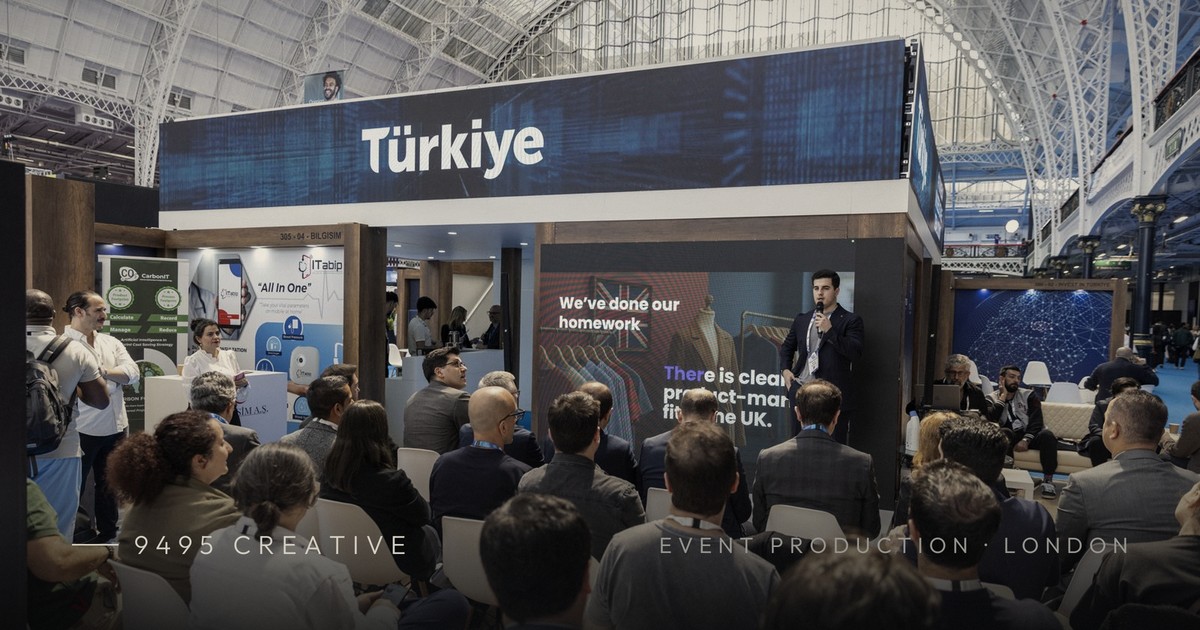
Here’s how to repurpose event footage: start with the master recordings and pull 15–30 short, self-contained moments — a strong quote, a reveal, a reaction, a product demo — then reframe each to 9:16, trim to 15–45 seconds, add captions and a hook in the first second, and schedule them out over the weeks after the event. One well-covered day of filming can realistically yield 15–30 usable Reels, Shorts and clips.
The mistake most brands make is treating an event film as a single deliverable: one three-minute highlight video that goes up a fortnight late and is quietly forgotten. The footage you paid for holds far more than that. Below is how a London production studio actually turns a conference, launch or festival into a content calendar — from what to capture on the day to a repeatable editing workflow.
Why is event footage worth repurposing?
Because the expensive part — getting cameras, crew, talent and an audience into one room — has already happened. Repurposing is where the return lives. A single shoot can feed your Instagram grid, TikTok, YouTube Shorts, LinkedIn and paid ads for weeks, at a fraction of the cost of commissioning fresh content each time.
It also solves the timing problem. A polished highlight film takes time to grade and finish; short clips can go live the same day or the next morning while the event is still fresh and the hashtag is still moving. You get immediacy and a considered edit — not one or the other.
What can one event realistically produce?
- Vertical Reels & Shorts — 15–45 second moments for Instagram, TikTok and YouTube.
- Speaker & quote clips — a single strong sentence with captions, ideal for LinkedIn.
- Teaser & recap edits — a 30-second “you had to be there” cut to drive next year’s sign-ups.
- Behind-the-scenes — setup, soundcheck, crowd energy, the calm-before-doors shots.
- Testimonial snippets — attendees or clients reacting on the day.
- The hero highlight film — the flagship 2–3 minute piece for your homepage and pitch decks.
How do you capture footage that’s easy to repurpose?
Great repurposing starts before you press record. If the shoot is planned only for one wide highlight edit, you’ll be fighting the footage later. Brief your crew — or your production partner — to shoot for the cut you don’t yet know you need.
- Shoot clean, stable, longer takes. Isolated moments cut better than constant motion. Hold on reactions and let sentences finish.
- Frame with vertical in mind. Keep the subject centred with headroom so a 16:9 master can be reframed to 9:16 without decapitating anyone.
- Get clean audio. Broadcast field audio or a direct feed from the desk turns an unusable clip into a quotable one. Muddy speaker audio is the single biggest reason clips get binned.
- Cover the room in layers. A locked-off wide, a roaming close-up, and cutaways of the audience give an editor options for every clip.
- Grab B-roll deliberately. Signage, hands, product details, laughter, the queue outside — these are the connective tissue of short-form.
If your event is also being streamed, you’re already sitting on a full multicam master. Our guide to how to live stream a conference covers the capture setup that doubles as your repurposing source, and the event live streaming cost guide explains how recording is usually bundled in.
What’s the workflow to repurpose event footage into clips?
A repeatable process beats inspiration every time. Here’s the sequence we use to work through an event’s rushes efficiently.
- Log and select. Watch the masters once and mark timecodes for every moment that stands alone — a punchy line, an audience laugh, a product reveal. Aim for 15–30 candidate moments.
- Cluster by platform. Sort those moments into buckets: quick-hit TikTok/Reels, longer LinkedIn thought-leadership, and grid-worthy brand moments.
- Reframe to vertical. Convert 16:9 to 9:16, keyframing the crop to follow the subject where needed.
- Cut to the hook. Front-load the strongest second. On short-form, the first frame decides whether anyone stays.
- Caption everything. Most social video is watched on mute, so burned-in captions aren’t optional.
- Add restraint, not gimmicks. A clean title, consistent brand fonts and colours, and licensed music where it fits — nothing that fights the content.
- Schedule as a drip. Don’t dump everything in 48 hours. Spread clips across three to six weeks so one event sustains your feed.
How long should each clip be?
Short enough to hold attention, long enough to land the point. Use the moment, not a stopwatch, but these ranges are a reliable starting point.
| Clip type | Ideal length | Aspect ratio | Best platforms | What it’s for |
|---|---|---|---|---|
| Hook / teaser | 8–15 sec | 9:16 | TikTok, Reels, Shorts | Stopping the scroll, driving sign-ups |
| Quote / soundbite | 20–40 sec | 9:16 for Reels; 1:1 or 16:9 for LinkedIn | LinkedIn, Reels | Thought leadership, quotability |
| Moment / reveal | 15–30 sec | 9:16 | Reels, TikTok, Shorts | Energy, product, atmosphere |
| Recap edit | 30–60 sec | 9:16 cut from a 16:9 master | Instagram, YouTube | “You had to be there” summary |
| Hero highlight film | 90 sec–3 min | 16:9 | Website, YouTube, pitches | Flagship brand asset |
Two things to check before you export. Keep captions inside the vertical safe zone: the platform’s own interface sits over roughly the top and bottom fifth of a 9:16 frame, so text near the edges disappears behind the username, caption and buttons. And assume every clip plays muted in the feed — if the point only lands with sound, it needs to be on screen as text.
Length caps also move, so check rather than assume. YouTube’s own help pages now put the Shorts limit at up to three minutes, well past the 60-second ceiling most guides still quote — though three minutes is a big ask of a cold audience, and the ranges above remain the safer target.
For a deeper look at pacing, formats and posting cadence, our short-form video strategy playbook breaks down how Reels, TikTok and Shorts differ and how to build a calendar that keeps momentum.
Editing checklist for event clips
- Hook in the first second — cut straight to the payoff.
- Reframed cleanly to 9:16 with the subject in shot.
- Burned-in captions, checked for accuracy.
- Clean, level audio — no clipping or room hiss.
- On-brand fonts, colours and a subtle logo.
- Licensed or cleared music, correct for the platform.
- A clear end frame or call to action.
- Exported at platform-native resolution and frame rate.
- Scheduled — not all posted at once.
What does professional repurposing cost?
Repurposing is priced either as an add-on to your event coverage or as a standalone edit package, and the figures come from the same rate card as the rest of our event pricing rather than a separate one. Social cutdowns run roughly £80–£200 per clip when cut as a batch, and a two to three minute hero highlight film £900–£2,500, depending on turnaround and on whether interviews and B-roll were shot alongside. Both bands, and everything else that lands in an event budget, are set out in our hybrid event production cost guide. All figures exclude VAT.
| Batch size | What it usually includes | Indicative cost (excluding VAT) | Cost per clip |
|---|---|---|---|
| 6–8 clips | One logging pass, reframe to 9:16, burned-in captions, a single caption style | £480–£1,600 | £80–£200 |
| 15–20 clips | Full log of the masters, clustered by platform, captions, light titles and end frames | £1,200–£4,000 | Lower half of the band, as logging is spread wider |
| 25–30 clips plus hero film | All of the above plus the two to three minute highlight film | £2,900–£8,500 | Clips at the lower end; the film priced separately |
Set that against buying the same asset new. A polished, art-directed short-form edit commissioned on its own typically runs £400–£1,000+ per piece, as our content creation pricing guide sets out, because you are paying again for the crew, the location and the day. Bundling capture and repurposing on the same brief is almost always cheaper than commissioning them separately: the crew is briefed to shoot for the cut, and the footage is logged once. If you have not booked the filming yet, our event videography cost guide for London covers what the coverage day itself costs.
What is an event recap video, and do you need one?
An event recap video (also called a highlights or aftermovie edit) is a 60–90 second cut of your event’s best moments — keynote highlights, crowd energy, exhibitor activity, speaker soundbites — set to pace and music. It’s usually the single highest-value asset you can pull from event footage: it sells next year’s tickets, gives sponsors something to share, and works across LinkedIn, Instagram and your website simultaneously. If you only commission one edit from your event coverage, make it this one, and brief it before the event so the crew shoots for it deliberately.
How do you repurpose long video content beyond events?
The same clip-mining logic applies to any long-form video you own: webinars, panel talks, podcasts and brand films are all quarries for short-form content. Pull the strongest 20–60 second moments, reframe them vertically, add captions, and lead each clip with its most arresting line — we’ve collected proven openers in our guide to reel hooks that work, and the wider posting cadence lives in our short-form video strategy guide. One hour of good long-form material typically yields 8–15 usable clips — a month of social content from a single recording.
What does a four-week clip calendar look like after an event?
It looks like a schedule, not a dump. Take a one-day conference covered by three cameras, which leaves you with roughly six hours of rushes and, after logging, around 22 clips worth finishing. Spread over four weeks, that is one event feeding your channels for a month while everyone else has gone quiet. The illustration below is a shape to copy, not a case study: adjust the mix to whatever your rushes actually gave you.
| Week | What goes out | Format | Where | Job it does |
|---|---|---|---|---|
| Week 1 (days 1–3) | 1 teaser plus 3 moment clips | 8–15 sec hook, 15–30 sec moments | TikTok, Reels, Shorts | Rides the hashtag while the room is still talking |
| Week 2 | 5 speaker quote clips, one per session | 20–40 sec, captioned | LinkedIn, Reels | Thought leadership; speakers reshare and widen reach |
| Week 3 | Recap edit, hero highlight film, 3 attendee reactions | 30–60 sec, 90 sec–3 min | Website, YouTube, LinkedIn | Sponsor and sales asset; the piece that gets embedded |
| Week 4 | 4 behind-the-scenes cuts plus a save-the-date | 15–30 sec | Instagram, TikTok | Warms up next year’s sign-ups |
That accounts for about 18 of the 22; hold the rest back for a slow fortnight or a paid test. The calendar only works if the handover happens fast, so agree the recording drop and the file naming with your production team before the doors open, as our guide to how to run a hybrid event sets out in the post-event handover list.
Do AI clipping tools work for event footage?
Partly, and it is worth knowing which part. Auto-transcription is the genuinely useful half: it turns three hours of masters into searchable text in minutes, which is step one of the workflow above done for you, and it gives you a caption file to correct rather than type from scratch. For logging and captions, use it.
Automatic clip selection is the weaker half, and event footage is close to the worst case for it. These tools were built for single-speaker talking-head recordings such as podcasts and webinars. A conference room gives them applause, crosstalk, a moderator, a room mic and a desk feed at different levels, slides that carry half the meaning, and B-roll with no words in it at all — so they cut on speech patterns and miss the reveal, the reaction shot and the laugh, which are usually the moments worth posting. They also tend to cut flat 9:16 crops that centre whoever is speaking rather than following the action.
The honest workflow is hybrid: let the machine transcribe and draft the captions, then have a person choose the moments and set the in and out points. Always read the captions back before export — transcription reliably mangles names, brands and technical terms, and a misspelt speaker name on a quote clip is the one error everyone notices.
What else can event footage become besides clips?
Clips are the obvious output, not the only one. The same masters, plus the transcript you generated while logging, feed several other assets at almost no extra production cost — which is where the real return on an event budget usually hides.
- Speaker quote cards. Pull frame grabs from the master and set the line over them. Static, quick, and they work in feeds and decks where video is awkward.
- A transcript-led article. Edit a strong session’s transcript into a LinkedIn article or blog post with the video embedded. One session becomes a page that keeps earning attention long after the clip has scrolled away.
- The post-event email. A 15-second clip and a still lift a thank-you email out of the ordinary, and it is the moment attendees are most likely to click.
- A sponsor pack. Clips where the sponsor’s branding is visible, exported in the formats they use and cleared for their channels. Sponsors renew for evidence, and this is the evidence.
- Sales follow-up. Send a prospect the 40-second clip of the session they attended rather than a generic deck. It is specific, and it is already made.
Agree usage before you distribute any of it: speakers need to have consented to being clipped, and library music licensed for your organic channels is not automatically cleared for a sponsor’s feed or for paid media. If you are folding these assets into an ongoing calendar rather than a one-off push, our social media strategy cost guide covers what planning and scheduling that content typically costs.
Frequently asked questions
How much event footage do you need for a batch of clips?
One well-covered event day is usually enough for 15–30 short clips. What matters more than volume is coverage: clean audio, longer stable takes, and cutaways give an editor the isolated moments that make strong Reels and Shorts.
Can you repurpose footage I already filmed?
Yes. If you own the masters, an editor can log the rushes, pull the strongest moments, reframe them to vertical, add captions and deliver a batch of clips — even if the original shoot wasn’t planned for social.
How long after an event should clips go live?
Post your first hook or teaser within a day or two while the event is still fresh, then drip the rest across three to six weeks. Spacing clips out keeps your feed active far longer than posting everything at once.
What length works best for event Reels and Shorts?
Most event clips land best between 15 and 45 seconds, with an 8–15 second hook to stop the scroll. Save longer recap and highlight edits of 60 seconds to three minutes for your website, YouTube and pitch decks.
Should clips be filmed vertically or reframed from widescreen?
Either works if planned for. Shooting a 16:9 master with the subject centred and headroom lets an editor reframe cleanly to 9:16, giving you both widescreen and vertical deliverables from one setup.
What is an event recap video?
An event recap video is a 60–90 second highlights edit of your event’s best moments — keynotes, crowd energy, sponsor activity and soundbites — cut to music for social media and your website. It is typically the highest-value single asset produced from event footage.
How long should an event recap video be?
60–90 seconds is the sweet spot for social platforms and sponsor sharing. Pair it with a 2–3 minute extended version for your website and sales conversations, and 15–30 second vertical clips for Reels, Shorts and TikTok.
How do you make an event highlight video?
Start with the recording, not the edit. Log the masters and mark the strongest 15–30 moments, then build a 60–90 second cut around three or four of them: an opening hook, keynote and crowd energy, a speaker soundbite, and an end frame carrying next year’s date. Brief it before the event so the crew deliberately shoots the reactions and B-roll the edit will need.
Can AI tools repurpose event footage automatically?
Only halfway. AI transcription is genuinely useful for logging footage and drafting captions, and it will save you hours. Automatic clip selection is less reliable on event footage, because it cuts on speech and misses reveals, reactions, applause and B-roll in a multi-speaker room. Let the tool transcribe, then have a person choose the moments and check the captions.
Can sponsors and speakers post clips from our event?
Usually yes, but agree it in writing first. Speakers should have consented to being filmed and clipped, and music licensed for your own organic channels is not automatically cleared for a sponsor’s feed or for paid advertising. The simplest approach is to specify sponsor and speaker usage in the event contract, then deliver each of them a small pack of cleared clips.
Why brands work with 9495 Creative
We’re a London video and creative studio with fully in-house directors, strategists and editors — no stock templates, no outsourcing. That matters for repurposing because the same team that plans the shoot cuts the clips: coverage is captured with the vertical edit already in mind, so nothing is wasted in translation. We can handle the whole chain — multicam capture, live streaming, the hero film and a full run of Reels, Shorts and clips — or slot in to repurpose footage you already own. Every brief gets a visual treatment or strategy proposal within five business days.
If you’d like to get more from an upcoming event — or breathe new life into footage sitting on a drive — start a brief and tell us what you’ve got. We’ll come back with a plan for how many clips it can yield and how to roll them out. You can also see the kind of work we do across our services.
2 comments